Platforms

MetaTrader 5

El siguiente nivel en plataformas de trading.

Acceda a MetaTrader 5 desde cualquier lugar

MT5 Desktop

1

MT5 WebTrader

2

MT5 Mobile for IOS

3

MT5 Mobile for Android

4

Más rápida, más inteligente, más potente

Lleve su trading al siguiente nivel con una ejecución más rápida, análisis más profundos y un mayor control. Diseñada para ofrecer el máximo rendimiento, MT5 incluye varias mejoras respecto a MT4, lo que la convierte en una plataforma de trading más avanzada y versátil. Sus características incluyen:

Más marcos temporales

1

21 frente a los 9 de MT4 para un análisis de mercado más profundo.

Más indicadores

2

38 indicadores integrados (8 más que en MT4).

Más herramientas

3

44 herramientas gráficas (13 más que en MT4).

Más tipos de órdenes

4

Incluye Buy Stop Limit y Sell Stop Limit.

Profundidad de mercado (DOM)

5

Visualiza la liquidez del mercado en tiempo real.

Mejor rendimiento

  • Probador de estrategias multihilo - Realiza backtesting de estrategias más rápido.
  • Ejecución más rápida - Arquitectura más eficiente para una mayor velocidad.
  • Netting y cobertura - Opere utilizando ambos modelos de contabilidad de órdenes.
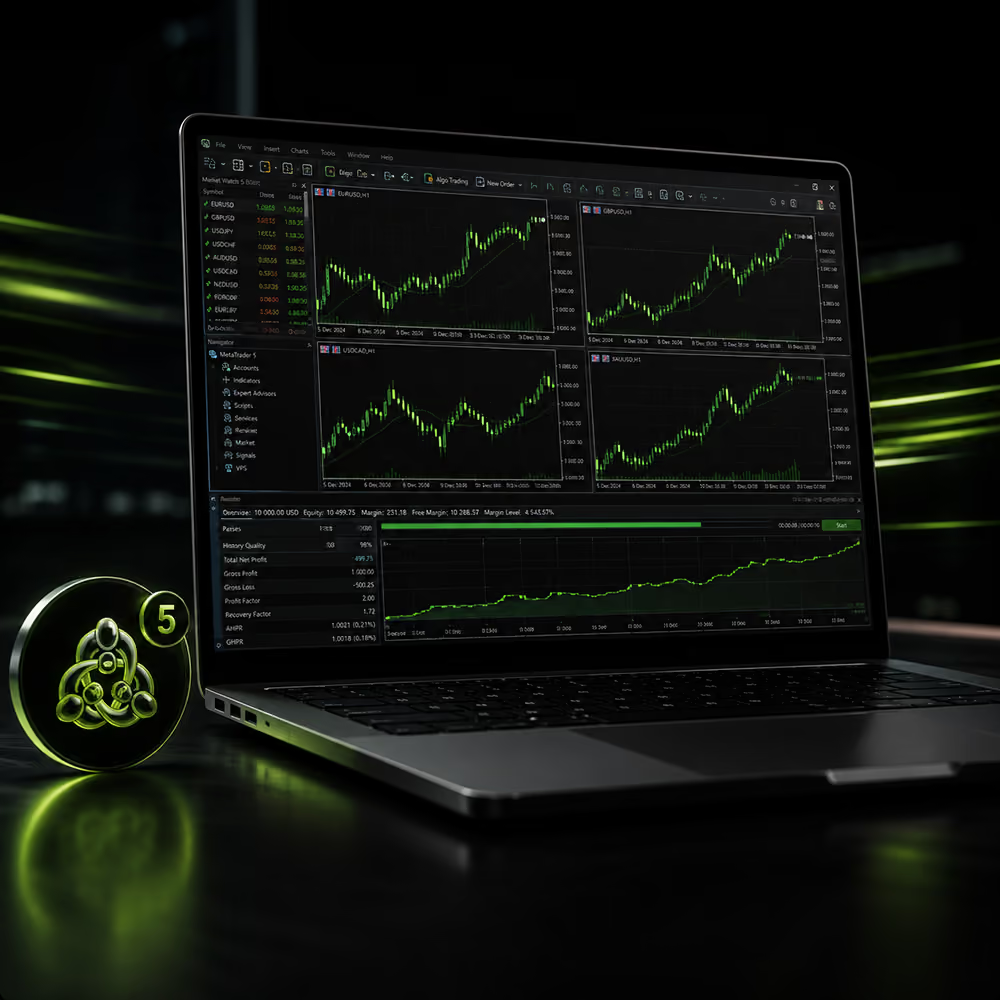
Laptop displaying multiple financial charts and graphs with a glowing green circular icon nearby.
Green, yellow, and blue gender symbols with a white circle in the center showing the number 5.

Más acceso y flexibilidad

  • Más clases de activos - Opere con acciones, que no están disponibles en MT4.
  • Calendario económico - Análisis integrado para eventos del mercado en tiempo real.
  • Fuente de noticias integrada - Manténgase al día con las noticias financieras.

Automatice su trading

MetaTrader 5 incluye asesores expertos integrados para el trading automatizado:

  • ExpertMACD – Opera con señales de tendencia MACD.
  • ExpertMAMA – Se adapta con medias móviles MESA.
  • ExpertMAPSAR – Combina medias móviles y ParabolicSAR.

Cree su propio EA con MQL5 o explore cientos de ellos en el mercado MQL5.

Laptop showing green financial charts and icons representing trading automation and analytics.

Qué puede operar en MT5

Forex

1

56 pares de divisas de alta liquidez: principales, secundarios y exóticos.

Criptomonedas

2

Las criptomonedas con mayor capitalización de mercado y alta volatilidad, sin necesidad de billetera.

Materias primas

3

Más de 20 materias primas, incluyendo oro, plata, café y petróleo.

Acciones

4

Más de 100 CFD sobre acciones de EE. UU. con 0 $ en comisiones y la posibilidad de abrir posiciones largas o cortas.

Índices

5

Más de 15 índices principales en 12 bolsas globales, con pago de dividendos.

Person using a smartphone showing red and green candlestick stock charts on a dark background.

Presentamos los CFD sobre acciones de EE. UU. en MT5

Desbloquee el potencial del mercado bursátil estadounidense con MT5. Opere con gigantes globales como Apple, Tesla y Nvidia con una ejecución ultrarrápida, herramientas de gráficos de vanguardia y automatización mediante EA.

  • 0 $ en comisiones: sin rodeos. Solo trading puro.
  • Spreads mínimos: máxima eficiencia. Sin pips desperdiciados.
  • Posiciones largas o cortas: opere en mercados alcistas. Y en mercados bajistas.
  • Apalancamiento a su favor: ajústelo al instante. Amplifique sus operaciones.
  • Poder fraccionario: opere cualquier tamaño. Escale con precisión.
¿Por qué Global Prime?

Opere con un bróker global de forex y CFD clasificado como el número 1*.

Ejecución galardonada

Elegido "Mejor bróker en ejecución 2025^" y con la confianza de casi 1 millón de traders, ofrecemos una ejecución ultrarrápida con servidores de baja latencia en el centro de datos NY4, alcanzando velocidades de hasta 10 ms.

Costes mínimos, alto apalancamiento

Ejecute operaciones con spreads desde 0.0, impulsadas por precios de proveedores de liquidez de primer nivel. Aproveche un mayor potencial con un apalancamiento de hasta 1:30 para clientes minoristas y 1:500 para profesionales.

Movimientos de dinero instantáneos

Disfrute de depósitos instantáneos, retiros rápidos y fondos segregados en bancos de primer nivel. Respaldados por regulaciones globales, buscamos la máxima seguridad para sus fondos.

MetaTrader 5

Preguntas frecuentes

How do I reset my MT5 password?

To reset your trading account password, please follow these steps:

Click on ‘Tools’ in the main toolbar, then select ‘Options’

On the new panel select the ‘Server’ tab

Make sure the login and master password are filled in and press the change button

You will be prompted to enter your current password and new password twice

You can also choose to change either the Master or Investor password (read-only)

Click the ‘Ok’ button

How long can I keep my positions open?

You can keep your positions open for as long as you deem fit or as long as your margin stays within acceptable levels on the MT4/MT5 platform.

What’s the difference between MT4 and MT5?

1. Asset Coverage
  • MT4: Primarily built for Forex and simple CFD trading.
  • MT5: Supports Forex, CFDS, plus Stocks, Futures, Options, and Cryptocurrencies — a true multi-asset gateway.
2. Order Types & Execution Modes
  • MT4: Four order types (Market, Limit, Stop, Stop-Limit) and two execution modes (Instant & Market Execution).
  • MT5: Six order types (adds Buy Stop Limit & Sell Stop Limit) and four execution modes (Instant, Request, Market, Exchange), giving you finer control over how your orders are handled.
3. Market Depth (Level II)
  • MT4: No native market-depth display. You see only the best bid/ask.
  • MT5: The built-in Depth of Market window shows multiple levels of liquidity, allowing you to gauge true supply and demand at different price levels.
4. Timeframes & Charting
  • MT4: Nine timeframes, up to MN1.
  • MT5: Twenty-one timeframes (from M1 all the way to MN1) plus a more advanced charting toolkit with 38 built-in technical indicators and 44 graphical objects.
5. Strategy Tester & Backtesting
  • MT4: Single-currency backtesting with simplistic tick simulation.
  • MT5: Multi-currency, multi-threaded strategy tester with real tick data, spread modelling, and built-in optimisation (including genetic algorithms) for automated strategies.
6. Programming Language
  • MT4: MQL4 — simpler, event-driven, suited for basic EA's and indicators.
  • MT5: MQL5 — a more powerful, object-oriented language with extensive standard libraries, letting you build complex, high-performance Expert Advisors.
7. Hedging vs. Netting
  • MT4: Supports hedging only (you can open opposing positions on the same instrument).
  • MT5: By default, it uses the netting system (one position per symbol) but can be configured for hedging as well, making it flexible for different regulatory environments.
8. Economic Calendar & News
  • MT4: No native calendar; you need plugins or third-party tools.
  • MT5: Integrated economic calendar, news feed, and alerts right in the platform, so you never miss major market events.
9. Community & Copy Trading
  • MT4: Access to the MetaTrader Market for EA's and indicators.
  • MT5: All of MT4’s marketplace features plus a built-in “Signals” service for subscribing to professional strategy providers without leaving the platform.
Bottom Line:
  • If you’re exclusively trading Forex/CFDs and value simplicity, MT4 remains a rock-solid choice.
  • If you want a single platform for Stocks, Futures, Forex, Cryptos, deeper analytics, faster backtests, or Level II liquidity, MT5 is the way to go.

How do I install MT5?

Step 1: Download MT5 here.

Step 2: Download and run the file. A security prompt may appear based on your system security setting. Confirm by clicking on 'Yes’ if a security prompt pops up.

Step 3: Read and accept the Metatrader 5 License Agreement.

Step 4: Install MT5, by clicking on the install button.

Step 5: Launch the software and select a server from the list once the software is installed.

Step 6: Log in to your MT5 account using your account number and password.

Step 7: You are now ready to MT5 on your computer.  

MT5 is available on the following platforms:

Mobile: IOS / Android

Desktop: Windows / Linux / MAC

Contact support if you need any help.

How do I open an MT5 account?

When opening a demo or live account with Global Prime, you’ll be prompted to select your preferred platform. You can choose between MT4 or MT5.  Choose MT5 as your preference.  If you need assistance installing and running MT5, visit the first FAQ for guidance.

How do I make my first trade on MT5?

Before opening a live account with Global Prime, you can create a Demo account. Practice your trading skills on the demo account without risking any real money. Open a demo account here.  

Select a financial instrument in the Market Watch window, and open its context menu.

Click "New Order."

If you are ready to place your first trade on MT5 in the live markets, login into MT5 through the Global Prime secure Hub, fund your account, and place a trade.

How do I switch accounts on MT5?

Click on ‘File ’ in the main toolbar, then select ‘Login to Trade Account

On the new panel select the ‘Server’ tab

Make sure the login and master password are filled in and press the change button

You will be prompted to enter your current password and new password twice

You can also choose to change either the Master or Investor password (read-only)

Click the ‘Ok’ button  

Can I change the time zone on my platform?

No, unfortunately, the time zone can’t be changed on the MT4 or MT5 platform.

How do I manage margin calls and stop-outs on MT5?

A margin call occurs when your account equity falls below the required margin level for your open positions. If your equity falls further, a stop-out may occur, meaning your positions are automatically closed to prevent further losses. To avoid this, monitor your account balance and margin levels regularly. You can also use stop-loss orders to protect against large losses.

How do I access my MetaTrader account reports?

Account reports are accessible from directly within the trading platform. Click on the Account History tab in the Terminal section, right-click and select the period you would like to see the history of, and then right-click again and select Save as Report.

If needed, account reports can also be requested from our support team.

How do I enable or disable notifications on MT5?

Go to Tools > Options.

Select the Notifications tab.

Enter your phone number and MetaQuotes ID (to receive mobile push notifications).

Enable or disable alerts as you prefer. Notifications can also be set for specific events, such as price levels, trading orders, or account balance changes.

How do I withdraw funds from my MT5 account?

Withdrawals are processed in your Global Prime client portal through the payments tab:

Log in to your Global Prime account.

Navigate to the payments tab on the left sidebar.

Click on the "Withdraw" button on the top right.

Select your preferred withdrawal method and follow the prompts.

Submit your request.

Processing times vary based on the withdrawal method chosen.

How do I open an order on MT5?

To place a trade on MT5, follow these steps:

Open MT5 and navigate to the Market Watch window.

Right-click on the instrument you want to trade and select New Order.

In the Order window, select:

Order Type (Market Execution or Pending Order).

Volume (lot size).

Stop-Loss and Take-Profit levels (optional but recommended).

Click Buy or Sell to execute the trade.

Your order will now be visible in the Trade tab of the Terminal window.

How do I close an order on MT5?

Open MT5 and navigate to the Trade tab in the Terminal window.

Locate the trade you want to close.

Right-click on the order and select Close Order.

Alternatively, double-click on the order and click the Close button in the order window.

Your trade will now be closed, and any profit or loss will be reflected in your account balance.

How do I manage an order on MT5?

Go to the Trade tab in the Terminal window.

Right-click on the open order and select Modify or Delete Order.

Adjust your Stop-Loss or Take-Profit levels as needed.

You can modify the entry price, expiration time, and order type for pending orders.

Click Modify to confirm changes.

You can also use the Trailing Stop feature to automate stop-loss adjustments based on price movements.

Mercados de CFD

Opere en mercados globales de CFD

Opere con más de 250 instrumentos de todo el mundo.

Dark digital Earth showing Africa, Europe, Asia with glowing yellow data points and candlestick charts.
Plataformas

Elija su plataforma de trading

Opere en nuestras plataformas potentes y seguras, incluyendo MetaTrader 5 para escritorio y móvil.

Recomiende a un amigo

Recomiende a un amigo y elija su recompensa: un bono único o comisiones reducidas en sus operaciones.

Recomiende a un amigo
Asóciese con nosotros

Asóciese con un bróker global de confianza

Empiece a operar en minutos. Abrir una cuenta de trading con Global Prime es fácil y rápido.

Empezar

¿Listo para
empezar a operar?

Apóyate en el bróker n.º 1 mejor valorado*

Dark background with transparent glass-like rectangles highlighted with soft yellow edges.

Financie su cuenta con más de 20 métodos de depósito instantáneo. AUD, CAD, EUR, GBP, JPY, SGD o USD: ¡ahorre en comisiones de cambio!

Operar con derivados conlleva un alto nivel de riesgo para su capital y solo debe operar con dinero que pueda permitirse perder. Cualquier información o consejo contenido en este sitio web es de carácter general y ha sido preparado sin tener en cuenta sus objetivos, situación financiera o necesidades. El rendimiento pasado de cualquier producto descrito en este sitio web no es un indicador fiable de resultados futuros. Debe considerar si forma parte de nuestro mercado objetivo revisando nuestra Determinación del Mercado Objetivo, y leer nuestro PDS y otros documentos legales para asegurarse de comprender completamente los riesgos antes de tomar cualquier decisión de inversión. Le recomendamos que busque asesoramiento independiente si es necesario. Global Prime no puede aceptar clientes de Afganistán, Congo, Irán, Irak, Myanmar, Nueva Zelanda, Corea del Norte, Palestina, Rusia, Somalia, Sudán, Siria, Ucrania, Ontario, Yemen, Japón o los Estados Unidos o sus territorios. La información en este sitio web no pretende ser una incitación, oferta o solicitud a ninguna persona en ningún país o jurisdicción donde dicha distribución o uso sea contrario a la ley o regulación local. Gleneagle Securities Pty Limited, que opera como Global Prime FX, es una empresa registrada en Vanuatu (Número de empresa 40256) y está regulada por la VFSC. El sitio web es propiedad y está operado por FMGP Trading Group Pty Ltd, ABN 74 146 086 017.

© Copyright year FMGP Trading Group Pty Ltd Level 10, 627 Chapel St, South Yarra 3141 Australia. Todas las marcas comerciales, marcas de servicio, nombres comerciales, imagen comercial, nombres de productos y logotipos que aparecen en el sitio son propiedad de sus respectivos dueños.
*Basado en una encuesta de mayo de 2025 realizada por forexpeacearmy.com entre brokers con al menos 100 reseñas. Encuentre más información sobre calificaciones y reseñas aquí.
^Galardonado como “Mejor Broker de Ejecución 2025” por TradeProofer por su ejecución comercial inigualable, transparencia y servicio centrado en el cliente.

Esta página fue traducida del inglés al español mediante inteligencia artificial (IA). Aunque hemos hecho todo lo posible para garantizar la exactitud de la información presentada, la traducción puede contener errores o inexactitudes. Consulte todos los términos y condiciones aplicables en nuestro sitio web principal en inglés.